Retro Gaming Icons Vector Pack: A Creative’s Toolkit for Nostalgic Designs
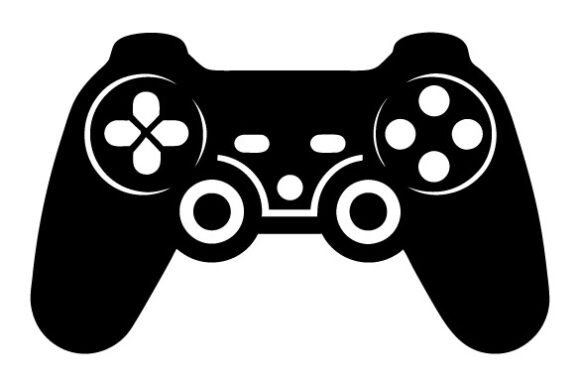
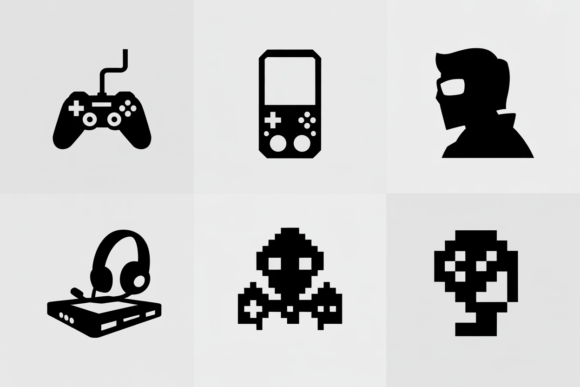
There’s something instantly recognizable about the silhouette of an arcade cabinet, a classic game controller, or a pixelated heart. If you grew up in the age of coin-op arcades or spent countless hours on early home consoles, these shapes aren’t just graphics—they’re a portal to a feeling. The Retro Gaming Icons Vector Pack captures that nostalgia in a clean, versatile digital format that you can use across dozens of creative projects.
This isn’t a generic clipart collection. You’re getting carefully traced vector files—provided in both SVG and EPS formats—built specifically for modern crafters, small business owners, and digital designers who want sharp, flawless results every time they cut, print, or scale a design. Whether you run a weekend vinyl decal side hustle or you’re just making a personalized birthday gift for a friend, the utility of a well-made icon set shows up the moment you send it to your machine.
What’s Inside the Pack and Why It Works
When you download the files, you receive an SVG and an EPS version of the complete icon collection. The SVG file works seamlessly with popular cutting machine software like Silhouette Studio Designer Edition, Cricut Design Space, and Brother CanvasWorkspace. It’s the go-to format for people who want to skip the tedious trace step and jump straight into cutting. The EPS file is a bonus for anyone using Adobe Illustrator or CorelDRAW, letting you tweak colors, combine icons, or adjust anchor points without losing quality.
What makes this particular vector pack stand out is the line work. Each icon is built with single, continuous paths wherever possible. That means fewer unnecessary nodes, smoother cuts, and less weeding frustration on intricate parts. The silhouettes are intentionally kept clean so you can cut tiny versions for keychains or blow them up to poster size for wall art, and the edges stay crisp.
Where Personal Crafting Meets Retro Energy
A lot of crafters first encounter vector icon packs because they have a very specific project in mind. Maybe your child is asking for a retro game-themed bedroom makeover, and you’ve decided to create custom wall decals of old-school joysticks and game cartridges. With the Retro Gaming Icons Vector Pack, you can load the SVG file, resize the icons to fit different wall sections, and cut them from removable vinyl. No artistic background required—just an idea and a machine.
Personal use extends well beyond wall art. Think about the last time you attended a gaming night or a retro-themed party. Bringing a custom tote bag with a silhouette of an arcade machine printed in metallic heat transfer vinyl instantly starts conversations. Or imagine surprising a coworker with a mug that features subtle, engraved-style gamepad icons. Because the vectors scale without distortion, the same file that decorates a glass tumbler works on a hoodie or a canvas pouch. The only limit is the material you have on hand.
Paper crafters also find unexpected value in icon sets like this. You can use the outlines to create stencils for mixed media journal pages, cut cardstock shapes for a handmade birthday card, or even produce temporary tattoos for a gaming convention. The clean line quality means your scissors or electronic cutter won’t snag on jagged, unrefined edges—a common headache with poorly traced free vectors.
Turning Nostalgia into a Small Business Asset
If you sell finished goods online or at local markets, you know how important it is to deliver products that look professional. Buyers notice when a decal has uneven curves or when a printed shirt graphic shows pixelation. The Retro Gaming Icons Vector Pack gives you a reliable design asset to build merchandise around without worrying about quality complaints. Because the files are delivered in scalable formats, you can confidently list the same design on items ranging from phone grips to large back patches.
One common commercial use is for laptop and car decals. Gamers love to personalize their gear, and a clean silhouette of a vintage console or a retro handheld instantly signals shared interests. You can cut dozens of decals in a single session using permanent vinyl, package them with branded backing cards, and sell them for a solid profit. Even if you’re still learning the ropes, the files minimize the guesswork because they don’t require heavy node editing before cutting.
Apparel is another obvious lane. If you’ve ever tried to source a high-quality retro gaming graphic for a T-shirt design, you’ve probably waded through pages of muddy, low-resolution options. With this vector set, you can open the EPS in Illustrator, group icons to create a distinctive composition, add text, and send the file to a print-on-demand partner or your own heat press. The result is a sharp, retail-quality product that appeals to adults who appreciate a minimalist, nostalgic aesthetic.
Beyond Crafting: Digital and Educational Applications
Not every user plans to cut vinyl or press shirts. The vector files are equally useful for digital designers, bloggers, and teachers who need crisp graphics for screens or print. Suppose you run a gaming blog or a YouTube channel covering retro titles. The EPS icons can become part of your thumbnail template: a faded controller silhouette behind a review score, or a row of arcade cabinets framing a title. Since the files are vectors, you can recolor them in seconds to match your brand palette, and they’ll stay razor-sharp on high-resolution displays.
Educators and community event organizers often tap into retro gaming themes because they resonate with both kids and parents. A teacher setting up a classroom management system might create a bulletin board with a “level up” chart, using the pack’s icons to represent achievements. The SVG files can be imported into worksheet design software or used to create clear, printable stencils for a collaborative mural project. Because the silhouettes are simple and instantly understandable, they work across age groups and reading levels.
Practical Considerations Before You Download
Before you download any digital design, a little preparation goes a long way. The SVG format is incredibly versatile, but it’s important to note that Cricut users will need the SVG, while Silhouette users should have Designer Edition or a similar upgrade to open vector files directly. Most people, however, will find the SVG works out of the box. Check your cutting machine’s blade condition and mat stickiness before tackling fine details. Even a clean vector file will suffer if you’re cutting with a dull blade or on a mat that’s lost its grip. Test a single icon at a small size on scrap material first. That quick trial reveals whether you need to adjust pressure, speed, or weeding tools.
Nobody wants to invest time in a craft project only to find out they can’t sell the finished product. The Retro Gaming Icons Vector Pack is typically offered with a clear commercial use allowance, meaning you can create physical products for sale—decals, shirts, mugs, frameable art prints—without paying ongoing royalties. Always confirm the specific license terms before listing hundreds of items, but in most cases, these digital designs are meant to empower small-scale entrepreneurs. Keep the original EPS files backed up as your master copies. Whenever you create a new project, duplicate the SVG and resize it for the specific item you’re making to preserve the unaltered vector for future use.
Why Clean Lines Change Everything
If you’ve ever tried to use a low-quality vector, you know the frustration: broken curves, unnecessary compound paths, and shapes that won’t weld or attach correctly. The Retro Gaming Icons Vector Pack is built to avoid those pitfalls. Because the artwork comes from a source that understands cutting machine requirements, each icon separates logically. You can easily isolate a single controller to cut alone, or you can combine multiple icons into a larger scene. The balance between detail and simplicity also matters for materials like glitter vinyl or flocked heat transfer material, where overly intricate cuts can bubble or fail under pressure.
Real people, working in real kitchens and craft rooms, don’t have hours to spend cleaning up someone else’s sloppy traces. When you open one of these files, you should be looking at a design that’s essentially ready. That readiness translates directly into more productive crafting sessions and fewer scrapped projects. Whether you’re fulfilling orders for a holiday rush or making a last-minute gift, dependable cut files are the quiet foundation of a low-stress workflow.
No matter if you’re an experienced designer looking to expand your commercial catalog or a beginner who just unboxed their first cutting machine, starting with a well-made vector set changes the entire experience. The icons take you back to a favorite era of gaming, but the format puts you squarely in the present, where precision and flexibility are non-negotiable.