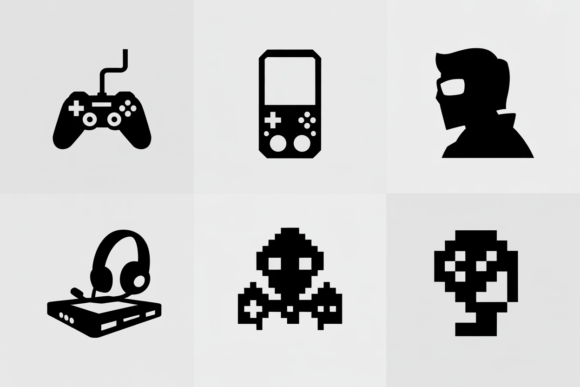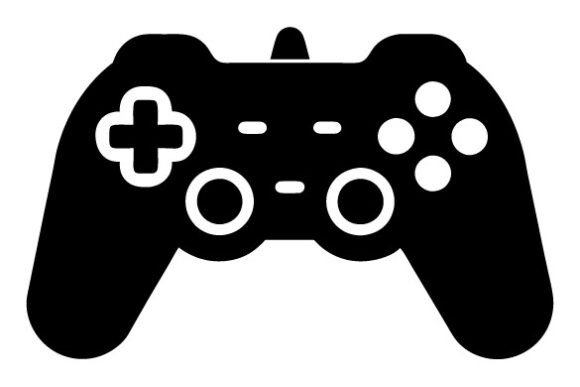
Game Controller SVG & Gaming SVG: Creative Design Toolkit
Maybe you designed a custom t‑shirt for a weekend gaming marathon, or hunted for a crisp, scalable icon to promote a local tournament. That’s where Game Controller SVG and Gaming SVG files step in. Instead of a single flat image that goes blurry when you enlarge it, you get a bundle of high‑resolution vector shapes that stay sharp at any size—ready for screens, vinyl cutters, laser engravers, and full‑color prints. The instant download bundle puts everything in your hands minutes after checkout, so you can start designing without waiting.
What Exactly Is a Game Controller SVG File?
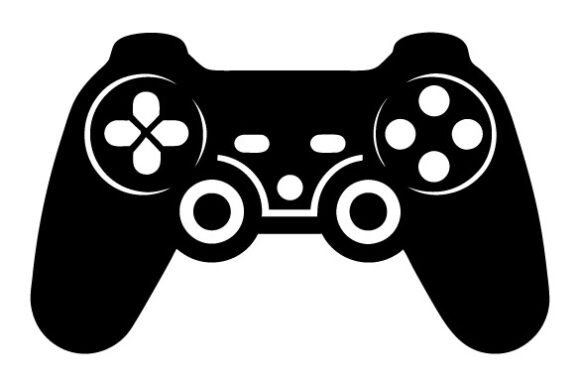
In simple terms, an SVG (Scalable Vector Graphic) is a file format that describes images using mathematical lines, curves, and shapes rather than a fixed grid of pixels. A Game Controller SVG takes the familiar silhouette of a console pad—d‑pads, thumbsticks, action buttons—and turns it into a lightweight, editable piece of artwork. Because it’s made with 100 vector shapes, you can crack open the file in a program like Adobe Illustrator, Inkscape, or even a web‑based editor and tweak individual parts. Change the button colors to match a team logo, delete a trigger that doesn’t fit your layout, or combine it with other graphics for a full composition.
The bundle also includes PNG, DXF, and EPS formats. PNG gives you a transparent background for quick digital use; DXF works seamlessly with many cutting machines; EPS keeps the fully editable vector structure for professional printing. That variety means you’re not locked into one workflow. Whether you need a Gaming SVG for a Cricut project or a detailed EPS for a large‑format banner, the right file is already included.
Why High Resolution and True Vector Editing Matter
When you hear “high resolution” for a vector file, it can sound redundant—after all, vectors scale infinitely. But what that really means here is that the paths are cleanly drawn, without rough anchor points or tiny gaps that cause cutting errors. Every controller shape, from the cross‑shaped d‑pad to the subtle curves around the grips, is built with intentional precision. That precision becomes critical when you send a DXF to a laser engraver or plotter: a poorly constructed path can snag material or leave a ragged edge.
Because the Fully Editable Vector EPS and the SVG versions are true vectors, you can modify them without losing data. Want to turn a classic retro controller into a neon outline for a stream overlay? Just remove the fill and increase the stroke weight. Need a monogram‑style icon for a coaster? Simplify the shape and it will cut beautifully. The bundle adapts to your skill level, whether you’re a casual hobbyist who only changes colors or a designer who wants to combine elements into a brand‑new illustration.
Who Benefits Most from a Gaming SVG Bundle
This isn’t just for professional graphic artists. The collection appeals to a wide audience because the files meet both creative and commercial needs without a steep learning curve.
- Small business owners can create back‑to‑school stickers, enamel pin mock‑ups, or print‑on‑demand merchandise without commissioning expensive custom art. A Gaming SVG on a mug or journal speaks directly to the growing gaming‑lifestyle market.
- Bloggers and streamers often need channel graphics, web badges, and social media templates. The SVG format works natively with most design software, so overlaying a controller icon on a highlight thumbnail takes seconds.
- Educators and community organizers run after‑school coding clubs or esports teams. Printable certificates, flyers, and event posters feel more exciting when they feature polished controller visuals rather than generic clip art.
- Crafters and hobbyists love the hands‑on side. Heat‑transfer vinyl on a tote bag, a stenciled pillow case, or a custom‑etched phone case all become possible with a Game Controller SVG cut file ready to go.
A Quick Tour of the Instant Download Format
After purchase, you get a single ZIP file. If you’re new to compressed folders, don’t worry—most computers let you double‑click to extract everything. On Windows, you can use the built‑in extract tool or software like WinRAR; on a Mac, a double‑click works natively. Inside, you’ll find clearly named folders for SVG, PNG, DXF, and EPS. No hunting through confusing directories. This organized setup is especially handy when you’re mid‑project and need to quickly grab a Gaming SVG for your cutting machine or a high‑res PNG for a web graphic.
The inclusion of multiple formats also future‑proofs your purchase. Even if you switch from a vinyl cutter that prefers DXF to a print shop that requests EPS, you’re already covered. And because these are digital files, you can use them again and again for different products, campaigns, or personal projects without degradation.
Practical Project Ideas You Can Start Today
The beauty of having a pack made from 100 vector shapes is that you’re not limited to a single pose or angle. You might have a classic front‑facing controller, a tilted variation, or even a minimalist line art version. That variety opens up dozens of applications.
- Apparel and accessories: Press a bold controller graphic onto a hoodie, cap, or socks. Because the SVG is easy to modify, you can scale it for a tiny chest logo or a large back print without pixelation.
- Home decor and gifts: Frame artwork for a game room, make personalized pillows, or decorate a scrapbook page commemorating a family game night. Use the PNG for a quick digital preview before committing to vinyl.
- Stationery and paper goods: Greeting cards with an engraved‑look DXF cutout, sticker sheets for laptop decoration, or custom thank‑you tags for a small gaming merchandise store. The EPS ensures professional separations if you work with a commercial printer.
- Branding and marketing: A retro Game Controller SVG on a business card or a flyer instantly signals the gaming niche. Combine it with bold typography for an event banner or a pop‑up shop sign.
- Educational tools: Create reward charts for kids learning to code, design game‑themed worksheets, or print stickers for a classroom esports club. The clean vectors make it safe to enlarge for posters or shrink for tiny icons.
How Beginners Can Edit and Change Colors Without a Steep Learning Curve
If you’ve never worked with vectors before, the phrase “fully editable vector EPS” might feel intimidating, but the process is simpler than it sounds. Most of the time, you only need to ungroup a few elements to select the part you want. In free software like Inkscape or a web‑based tool like Canva (for SVG), you can click on a shape—say, the left directional button—and use a color picker to change it from black to bright orange. The entire file won’t break; you’re just adjusting a fill color.
The 100 vector shapes inside a typical Gaming SVG file are usually well‑layered and named, which helps you isolate details. For example, the designer might have separated the controller body, buttons, and cable into distinct groups. That means you can change the body color to match a client’s brand palette and leave the buttons as they are. No drawing skill is required—just a willingness to click around and experiment.
Important Things to Consider Before You Download
Even though the bundle is incredibly flexible, a few points can save you time and frustration. First, check that your intended software can open at least one of the provided formats. Most cutting machines work with SVG or DXF; professional printers typically need EPS. If you’re unsure, test the included PNG first—it’s universally supported and great for mock‑ups.
Second, while these files are easy to modify, always keep a backup of the original download. It’s easy to accidentally move a path while editing, and having a clean copy means you can start fresh without repurchasing. Third, be mindful of how you intend to use the designs. Personal projects, gifts, and small‑scale commercial items like physical products you make by hand are usually fine, but if you plan on reselling the digital files themselves, check the license terms that accompany the bundle. The value here is in turning a Game Controller SVG into a tangible, finished product, not in redistributing the raw files.
Making the ZIP File Work for You
When the download lands on your computer, it arrives as a ZIP file. Double‑click it (or right‑click and choose “Extract All”) to reveal the content. Some users prefer using 7‑Zip, WinRAR, or the standard archive utility on macOS. Once extracted, you’ll see the file types neatly sorted. Drag the SVG into your design program, the DXF into your cutting software, and simply view the PNG for quick reference. There’s no installation, no complicated setup—just the files and your creativity.
Why This Bundle Stands Out for Crafters and Entrepreneurs
Many free controller icons online are low‑resolution raster images or poorly traced vectors that distort when you scale them. This collection eliminates those headaches. The clear, high‑resolution EPS and SVG files start clean and stay clean. For a small business owner, that reliability translates into products that look professional and sell confidently, whether it’s a mug printed on demand or a custom wooden sign.
Additionally, the range of shapes inside a single Gaming SVG pack gives you variety without cluttering your workflow. You might use a detailed, realistic pad for a poster and a simpler outline for a tiny lapel pin design—both from the same bundle. Because each shape is a distinct vector, you can mix, match, and recolour until the design fits your vision exactly.
Expanding Your Design Possibilities Beyond Gaming
While the focus is on controllers, the style of these illustrations often fits broader tech, retro, and pop‑culture themes. A crisp controller silhouette can become part of a “geek chic” wedding invitation, a gadget blog header, or a YouTube channel banner for tech reviews. You can even deconstruct the shapes to create abstract geometric patterns for backgrounds or wrapping paper. The editable nature of the EPS and SVG means you’re not restricted to the original intent—you can borrow the buttons to make a playful navigation menu on a website, or use the thumbstick as a patterned element on a phone skin.
Getting Started in Minutes
After you extract the ZIP, pick one small project to learn the ropes. Open the SVG in a free editor, change a color, and export a PNG for a digital sticker mock‑up. Within ten minutes, you’ll understand how the layers work and feel confident enough to try a physical product. Because you have the Game Controller SVG in multiple formats, you can follow that same rapid process whether you’re printing paper crafts or cutting heat‑transfer vinyl.
Remember, these files are made with 100 vector shapes, which strikes a balance between detail and manageability. You get enough intricacy to look professional, but not so many nodes that editing becomes sluggish. That sweet spot makes the bundle equally rewarding for a first‑timer and a seasoned maker who just wants a speedy starting point.
Whether you’re decking out your own gaming space, building a small product line, or adding personality to a classroom resource, the Gaming SVG instant download brings clarity and convenience. With no waiting on shipping and files that adapt to your software, you can move from idea to finished piece faster than ever. ♥ Thank you very much. Follow me for more update.